Skip to content

AirGrid Dispatch - Service lifecycle

Carry context from first symptom to next visit.

See how service requests, equipment history, estimates, and maintenance recovery stay connected.
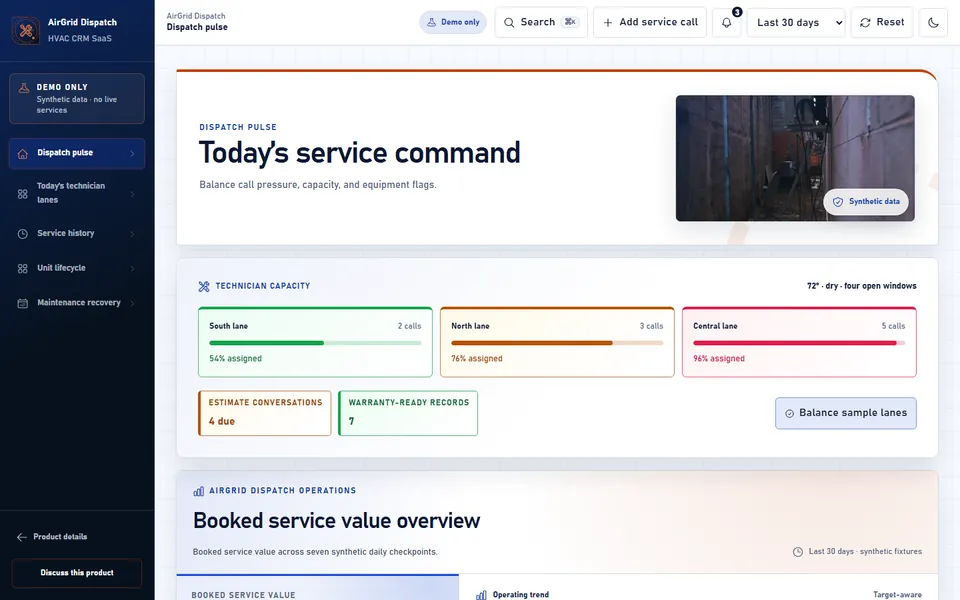
HVAC CRM SaaS product screenshot

AirGrid Dispatch workflow

Log request

Capture equipment, symptoms, service address, and preferred timing.

Dispatch

Group jobs by technician, urgency, and customer history.

Follow up

Keep recurring issues and maintenance reminders visible after the visit.

Connected operating sequence

  • 1. Dispatch pulse - Call pressure, field capacity, and equipment flags.
  • 2. Today’s technician lanes - Move service calls across available field capacity.
  • 3. Service history - Review prior visits, open comfort notes, and the next maintenance step.
  • 4. Unit lifecycle - Compare age, warranty state, and recurring service signals.
  • 5. Maintenance recovery - Plan reminders and estimate conversations around available capacity.

Follow the sequence

Demo-only boundary

All records and interactions stay in this browser tour and remain disconnected from customer and production systems.